


Connect TradingView Signals
Published Jul 17, 2026 · Updated Oct 16, 2026
Send TradingView strategy alerts to AlphaFox through a webhook, then use that source to run an automated trading strategy. The setup has three parts: create the signal in AlphaFox, configure the TradingView alert, and create a strategy in AlphaFox. Start at Strategy → Copy signal management.
Only new strategy order events fired after the alert is enabled are received. Historical orders and existing positions are not backfilled.
Step 1: create the signal in AlphaFox
Open My signals
Go to Strategy → Copy signal management and switch to My signals at the top.
Add a TradingView signal
Click Add signal and choose TradingView (“Receive private alerts from TradingView”) as the source type.
Name it and create
In “Create TradingView signal”, enter a Signal name (up to 36 characters) that identifies the strategy, such as “BTC daily breakout”, then click Create signal.
Copy the connection settings
Once you see “Signal created”, the window shows two values, each with a copy button:
- Webhook URL: paste this into TradingView’s Webhook URL field;
- Alert message JSON: replace the complete TradingView alert Message with this JSON.
Click Done when you’ve copied both. Later, click this TradingView signal in the My signals list to open its management panel, then click Details to copy both values again.
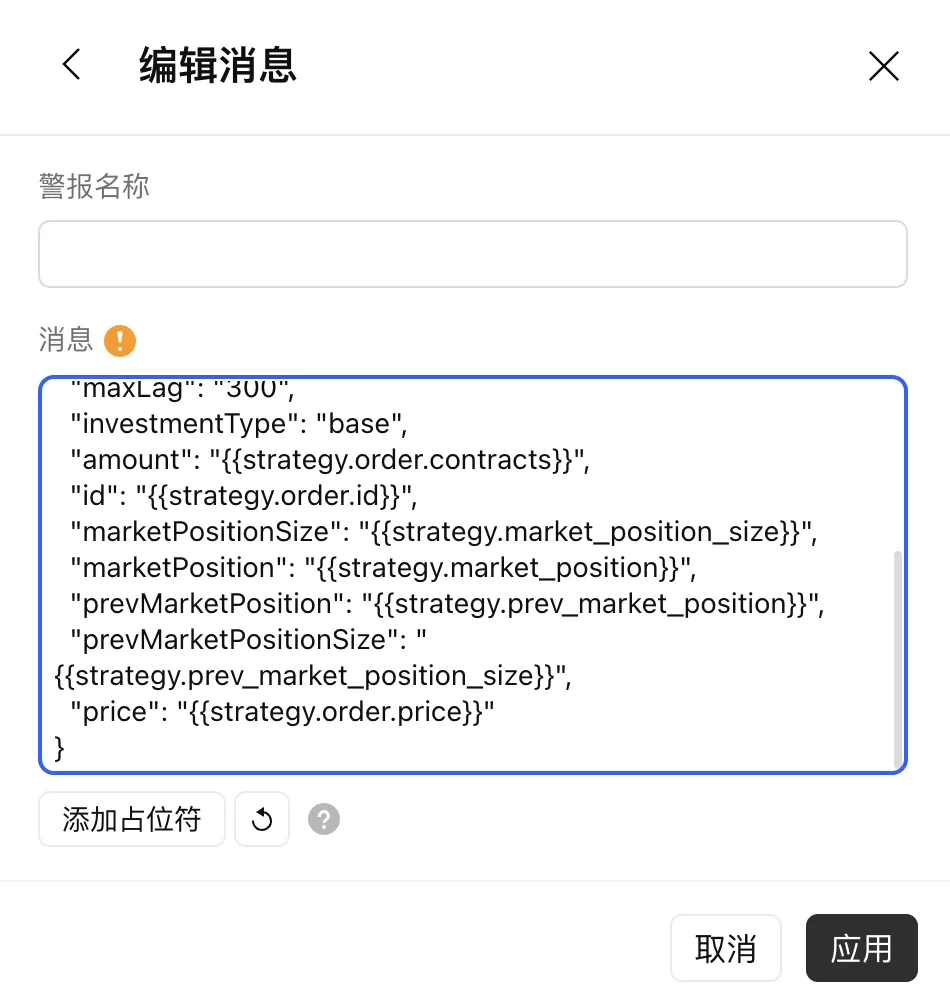
AlphaFox generates the alert JSON for your signal. It looks like this (the token is replaced here; always paste the version you copied from the page, never type it by hand):
{
  "action": "{{strategy.order.action}}",
  "exchange": "{{exchange}}",
  "instrument": "{{ticker}}",
  "signalToken": "<your signal token>",
  "timestamp": "{{timenow}}",
  "maxLag": "300",
  "investmentType": "base",
  "amount": "{{strategy.order.contracts}}",
  "id": "{{strategy.order.id}}",
  "marketPositionSize": "{{strategy.market_position_size}}",
  "marketPosition": "{{strategy.market_position}}",
  "prevMarketPosition": "{{strategy.prev_market_position}}",
  "prevMarketPositionSize": "{{strategy.prev_market_position_size}}",
  "price": "{{strategy.order.price}}"
}
The alert JSON contains your private signal token. Do not share the Webhook URL or alert JSON. If either is exposed, delete the signal and create a new one.
Step 2: create the TradingView strategy alert
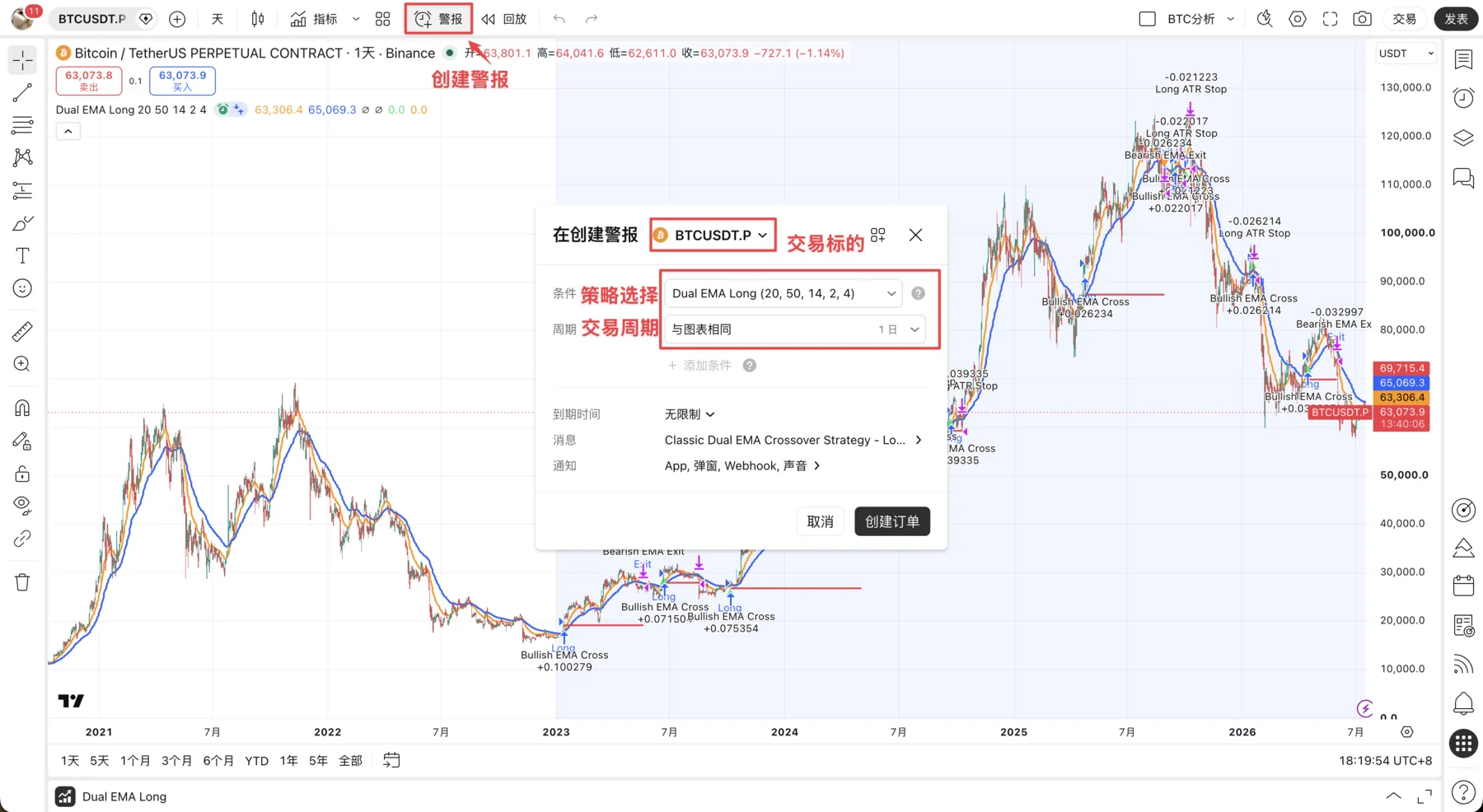
Open a strategy alert
Load the strategy on a TradingView chart and click Alert. Select the strategy as the condition rather than a standard price alert, and keep the alert interval aligned with the chart and strategy interval.
Replace the Message
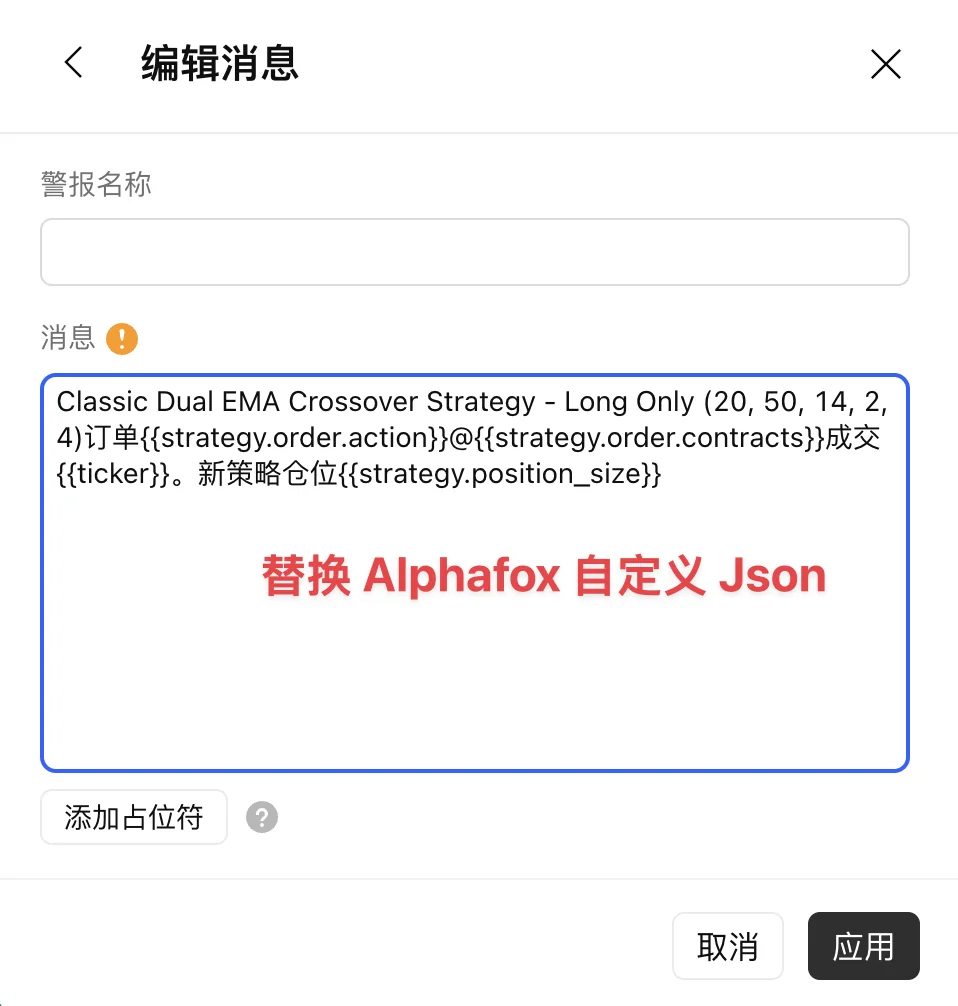
Open the alert’s Message settings, remove the existing content, and paste the complete Alert message JSON from AlphaFox. Do not edit placeholders such as {{strategy.*}}, {{ticker}}, {{exchange}}, or {{timenow}}.
Configure the Webhook URL
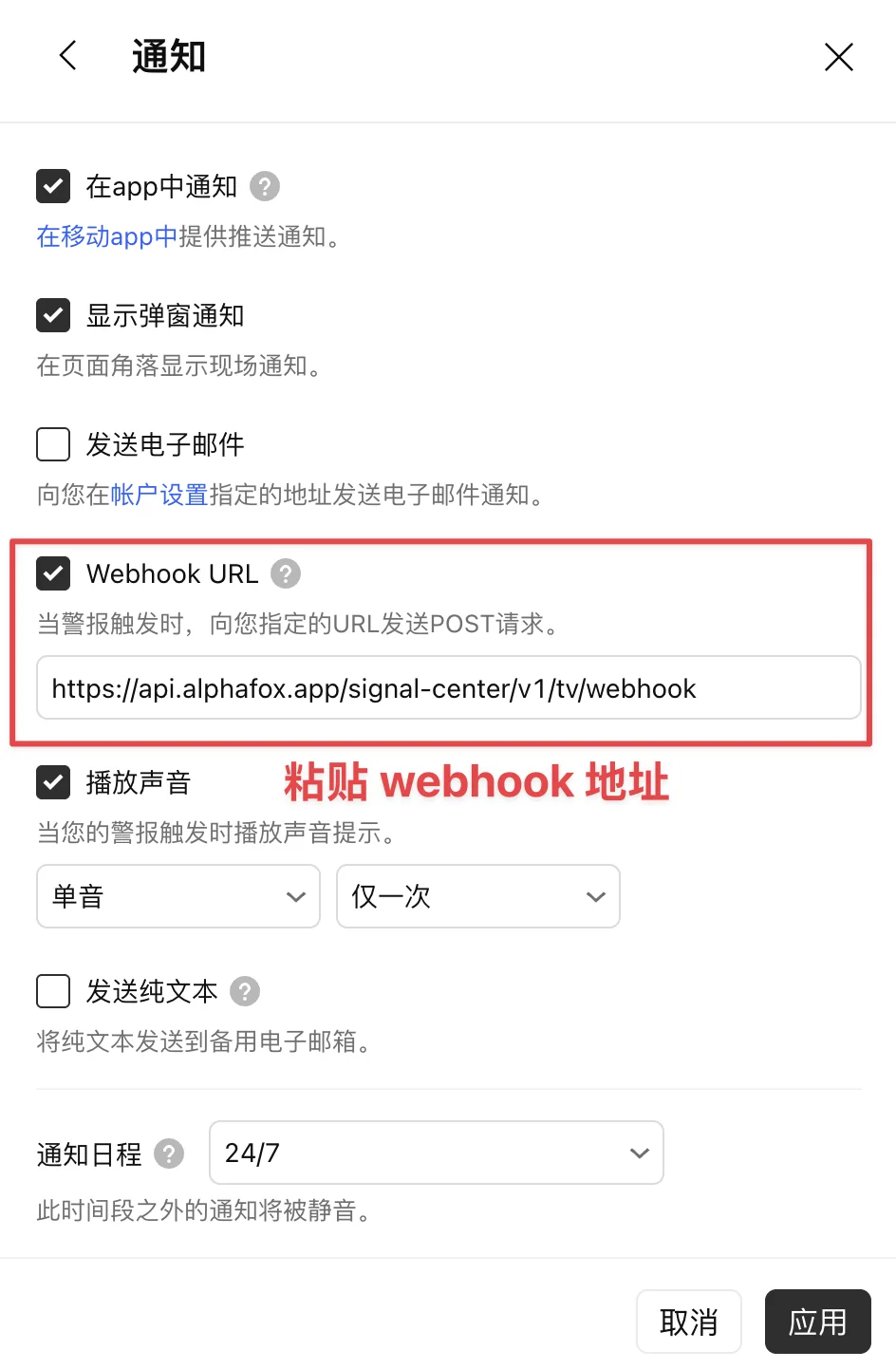
Open Notifications, enable Webhook URL, and paste the Webhook URL shown by AlphaFox.
Save the alert
Confirm the strategy, symbol, interval, Message, and Webhook URL, then apply the settings and create the alert. The alert should appear as enabled in TradingView’s alert list.
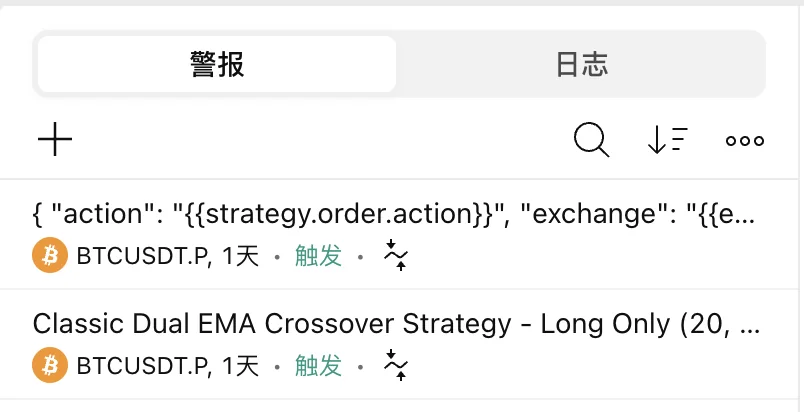
TradingView versions may place Message and Webhook URL on different tabs, but both values must be saved on the same strategy alert.
Step 3: create a trading strategy in AlphaFox
Choose the TradingView template
Open Strategy → Create strategy and choose TradingView Trading in the Copy category.
Choose the signal source
In the signal source settings, pick the TradingView signal you just created. A TradingView Trading strategy follows exactly one source.
Pick the account and create
Choose the trading account that executes orders (paper first is a good idea), check the cost estimate, finish risk and notification settings, and create. Full flow: New Strategy.
Other copy templates don’t list TradingView sources; you have to choose TradingView Trading first.
This template orders the quantity in the signal directly, with no margin-proportional scaling. The order size set in your TradingView strategy is what AlphaFox trades, so confirm on paper that the size fits your capital before going live.
Managing and deleting signals
Click the TradingView signal in the My signals list to open its management panel:
- Details: copy the Webhook URL and alert JSON again;
- Edit name: rename the signal;
- Delete signal: blocked while a running copy strategy still uses it; stop those strategies first.
There is a limit on how many signals you can have. At the limit, the create window says “You have reached the signal limit. Delete an old signal first.”
If signals are not arriving
Check these in order:
- The TradingView alert is enabled and the strategy has produced a new order event;
- The alert condition is the strategy, not a price condition;
- Message exactly matches the generated AlphaFox JSON, with no extra text or missing placeholders;
- Webhook URL is enabled and contains the complete URL;
- The TradingView signal is still in your My signals list; if you deleted it, create a new one and paste its new alert JSON into TradingView;
- The AlphaFox strategy uses the TradingView Trading template with the right source and trading account, and it is running.